Final Cut Pro X Online Live Class by Experts
Our Training/Internship Process

Final Cut Pro X - Syllabus, Fees & Duration
MODULE 1: Working with the Interface
- Final Cut Pro Interface
- Following a Workflow
- Working with Projects
- Working with Bins
- Working with the Timeline and Canvas
- Adjusting the Timeline
MODULE 2: Marking and Editing
- Playing Clips in the Viewer
- Marking Clips
- Preparing to Edit
- Making Overwrite Edits
- Adding Audio
- Backing Up Sequences
- Inserting Clips
MODULE 3: Editing in the Timeline
- Manipulating Clips in the Timeline
- Editing in the Timeline
MODULE 4: Other Editing Options
- Editing Sound Bites
- Marking in the Timeline
- Replacing Edits
- Deleting Clips and Gaps
- Storyboard Editing
MODULE 5: Single-Sided Trimming
- Trimming
- Dragging to Trim
- Rippling Edits
- Using the Razor Blade Tool
- Trimming in the Viewer
- Extending an Edit
MODULE 6 : Two-Sided Trimming
- Trimming Two Edit Points
- Rolling Edit Points
- Slipping Clip Content
- Slipping by Numbers and Shortcuts
- Adjusting Clip Placement
- Using the Trim Edit Window
MODULE 7: Master Clips, Sub clips, and Markers
- Working with Master Clips
- Working with Sub Clips
- Working with Markers
MODULE 8: Customizing a Project
- Customizing Browser Columns
- Customizing the Interface
- Choosing Settings and Preferences
MODULE 9: Capturing Video
- Connecting Sources for Capture
- Previewing and Marking Your Source
- Logging Your Clips
- Preparing to Capture
- Capturing Options
- Setting Capture Preferences
MODULE 10: Importing and Exporting
- Importing
- Exporting Files
- Exporting with Compressor
- Reconnecting Media
MODULE 11: Working with Audio
- Hearing and Seeing Audio
- Adjusting Audio Levels
- Working with Audio Clips
- Working with Sync
MODULE 12: Applying Transitions
- Understanding Transitions
- Applying Audio Transitions
- Applying Video Transitions
- Working with Other Transitions
- Rendering Transitions
- Favorite and Default Transitions
MODULE 13: Mixing Audio Tracks
- Adding and Organizing Audio Tracks
- Applying Audio Key frames
- Mixing Tracks in Real Time
- Using the Voice Over Tool
MODULE 14: Adding Filters
- Understanding Filters
- Applying Video Filters
- Sharing and Saving Filters
- Applying Audio Filters
- Applying Corrective Filters
MODULE 15: Building a Composite Image
- Compositing Clips
- Adding Generated Items
- Changing Filter Parameters in the Timeline
- Rendering and Exporting Comps
MODULE 16: Creating Motion Effects
- Adjusting Views
- Creating Motion Effects
MODULE 17: Adding Text and Graphics
- Working with Text Generators
MODULE 18: Finishing and Outputting
- Finishing Audio and Video
- Exporting Finished Sequences
- Outputting to Tape
- Recapturing an Offline Project
- Backing Up Projects
MODULE 19: Video Transition Effects
- Applying Video Transitions
- Removing Transitions
- Render Bars and RT Extreme
- Rendering
- RAM Previews
- Adjusting Transition Settings
- Saving Favorite Transitions
- Default Transition
MODULE 20: Video Filter Effects
- Applying Video Filters
- djusting Filter Settings
- Removing Filters
- Saving Favorite Filters
- Saving Window Layouts for Effects
- Recommended Window Layouts for Effects
MODULE 21: Speed Effects
- Constant Speed Effects
- Variable Speed Effects
- Freeze Frames
MODULE 22: Motion Effects
- Basic Motion
- Crop
- Distort
- Opacity
- Drop Shadow
- Motion Blur
- Motion Paths
- Working with Color Mattes
- Working with Garbage Mattes
- Pan and Zoom
- Viewing Options
MODULE 23: Compositing with Nests
- Superimpose Edits
- Nesting
- Exporting a QuickTime Self-Contained Movie
- Exporting a QuickTime Reference Movie
MODULE 24: Additional Effects Techniques
- Add Edits to Minimize Rendering
- Paste Attributes
- Auto Render
- Render Manager
- Applying Filters as Transitions
- Creating Perspective
MODULE 25: Composite Modes
- Add
- Difference
- Subtract
- Multiply
- Screen
MODULE 26: Chroma Keyer
- Chroma Keyer
- Color Smoothing, 4:1:1 and 4:2:2
- Spill Suppressor, Blue and Green
MODULE 27: Color Correction Concepts
- Color Correction Environment
- Color Correction Goals
- Neutralizing Mac OS X
- Calibrating Broadcast Monitors
MODULE 28: Working with Broadcast Safe Video
- Video Scopes
- Color Correction Window Layouts
- Range Check
- Color Corrector 3-way
MODULE 29: Correcting White Balance
- Correcting White Balance
MODULE 30: Balancing a Scene
- Copying Filter Controls
- Frame Viewer
MODULE 31: Secondary Color Correction
- Changing a Specific Color
- Isolating a Color for a Black and White Background
MODULE 32: Additional Color Effects
- Combining Color Correction with Composite Modes
- Isolating Multiple Colors for a Black and White Background
MODULE 33: Media Management
- Reconnecting Media
- Deleting Media Files
- Find
- Render Manager
- Media Manager
MODULE 34: Compressor
- Preparing for Compressor
- Adding Files to the Batch Window
- Selecting Presets
- Preview
- Creating Presets
- Setting Destinations
- Setting Output Files
- Submitting to the Batch Monitor
- Droplets
This syllabus is not final and can be customized as per needs/updates
- Since 2001, Making IT Experts by Experts
- Duration: 30 Hours (Vary as per your skill)
- Course Fees
- Individual Live Classes (1:1)
- Batch Classes @ Low Fees
- Training on Your Time, Any Where
- Access to Recorded Videos
- Practical Internship on Projects
- 100% Placement Support by our jobsNEAR.in
- Training/Internship Certificate
- Agra
- Ahmedabad
- Alappuzha
- Aurangabad
- Bangalore
- Belgaum
- Bellary
- Bhubaneswar
- Chennai
- Cochin
- Coimbatore
- Delhi
- Dindigul
- Erode
- Gulbarga
- Guntur
- Gurgaon
- Haryana
- Hyderabad
- Idukki
- Indore
- Jaipur
- Kalyan
- Kannur
- Kanpur
- Kasaragod
- Kerala
- Kolkata
- Kollam
- Kottayam
- Kozhikode
- Lucknow
- Madurai
- Malappuram
- Mangaluru
- Mumbai
- Mysuru
- Nagpur
- Nashik
- Navi Mumbai
- Nizamabad
- Noida
- Palakkad
- Pathanamthitta
- Pune
- Punjab
- Salem
- Shimla
- Solapur
- Surat
- Thane
- Thanjavur
- Thirunelveli
- Thoothukudi
- Thrissur
- Tiruchirappalli
- Tiruppur
- Trivandrum
- Vadodara
- Varanasi
- Vellore
- Vijayawada
- Visakhapatnam
- Wayanad
Course Highlights

Our Locations

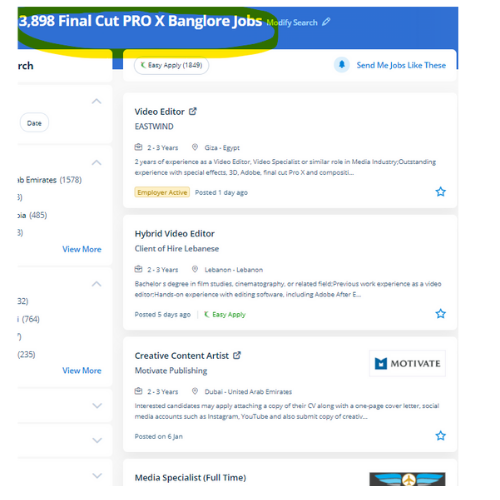
 . with your shared screen I will show you around your final cut pro interface and justify all the menus and workflows and shortcuts to induce you up and running plenty of efficiencies and quicker. In whatever field of activity, you are engaged, we are able to assist you to enforce the most daring come and attain the most effective results. register today and pick out discover a convenient time and mode of training in our assured schedule for a year ahead. Interested candidates might register in our final cut pro coaching. whether or not you wish to create a movie from start to end, edit a video, or just discover the way to upload titles in your opener, our final cut pro tutorials can allow you to grasp this famed nonlinear editing tool. it has several job opportunities like creative Graphic Designer, photograph Editor, creative Designer, and Video Editor. throughout this training session, our specialists can assist users in simplifying their workflow perform editing tasks with efficiency, and teach regarding the various editing ways. Learn to apply final cut pro to make a video, inform powerful stories, correct color—even the way to layer video. using final cut pro's ability to simply modify and correct issues with color & lighting, you'll be able to produce your video in a natural look and beauty.